E-commerce
Online Ordering System for Restaurants: Save on Delivery App Commissions (2026 Guide)
Delivery apps take 15–30% of every order. What does your own commission-free ordering system cost, how fast does it pay back, and how do you move regulars to it? Real numbers for 2026.
On this page
- How much do delivery apps charge restaurants in 2026?
- What is a commission-free online ordering system?
- How much does an online ordering system cost?
- When does an online ordering system pay back?
- How do you move customers from the apps to your own site?
- 10 features a good restaurant ordering system needs
- Should you take orders on WhatsApp?
- How does the build process work?
- When is your own system not worth it?
- Legal basics to get right
- Bottom line: is an online ordering system worth it?
- Frequently asked questions
Short answer: Your own online ordering system is the most direct way to stop paying delivery-app commission on regulars. in the US, DoorDash takes 15%, 25% or 30% of every delivery order depending on the plan, and Uber Eats similar. A commission-free ordering system on your own domain — menu, online payment, admin panel — starts at about $1,400, and its running cost is mostly card processing (around 2.9% + 30¢). For a restaurant that moves 150 pickup or own-driver orders a month off the apps, it typically pays back in a few months. The goal isn’t to quit the apps; it’s to stop paying commission on customers who already know you.
Delivery apps are brilliant at one thing: introducing new customers to your restaurant. The problem is that they keep charging you for those customers forever — the tenth order from a loyal regular costs you the same commission as the first. Building your own ordering channel fixes that, but only if the numbers work for your restaurant.
This guide does the math: what the apps really charge, what your own system costs to build and run, when it pays back and how to move regulars over without losing them. Figures are current as of October 20, 2026.
How much do delivery apps charge restaurants in 2026?
| Platform (US) | Delivery commission | Pickup commission |
|---|---|---|
| DoorDash Basic / Plus / Premier | 15% / 25% / 30% | 6% |
| Uber Eats Lite / Plus / Premium | 20% / 25% / 30% | 7–10% |
| Grubhub Basic / Plus / All-Access | 5% / 15% / 20% marketing + 10% delivery | 5–20% |
Rates differ by country — European apps such as Deliveroo, Just Eat and Wolt negotiate per restaurant — but the pattern is the same everywhere: a low rate if you deliver yourself or offer pickup, roughly a quarter to a third of the order if the app’s couriers deliver. On a $35 order, a 25% plan costs you $8.75 before food, labour or rent.
What’s added on top
- Promotions you fund: “Buy one, get one” and discount campaigns are usually paid partly or wholly by the restaurant.
- Ads and sponsored listings: appearing at the top of search results costs extra.
- Higher menu prices: many restaurants mark up app prices to cover commission, which makes them less competitive than they look.
- No customer data: the app owns the relationship. You often can’t email or reward your own regulars.
What is a commission-free online ordering system?
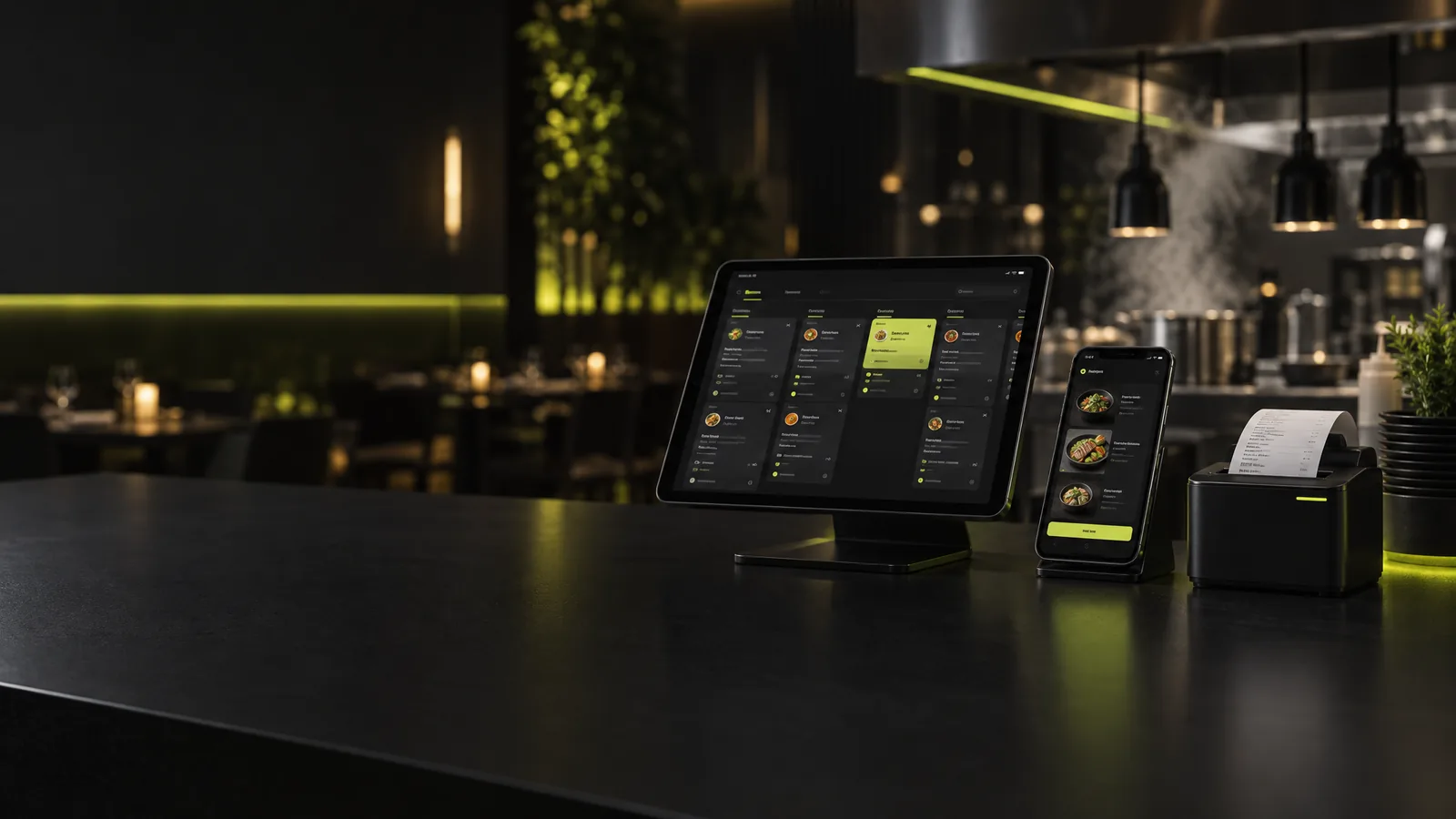
It’s an ordering channel that belongs to your restaurant and runs on your own domain. Customers browse your menu, build a cart, pay online or at the door, and the order lands on your kitchen tablet or printer. You pay no commission — only the card processor’s fee and small monthly running costs.
| Option | Cost model | Pros | Cons |
|---|---|---|---|
| App-provided online ordering (e.g. DoorDash’s commission-free Online Ordering) | No commission, payment processing fee | Fast to start, uses the app’s delivery network | The platform still sits between you and the customer |
| Ordering SaaS | Monthly subscription, sometimes per-order fees | Quick setup | Limited design and data; when you stop paying, it’s gone |
| WhatsApp ordering bot | One-time build + very low message fees | No app to download; great in WhatsApp-heavy markets | Less visual than a full menu site |
| Your own ordering site (custom) | One-time build + low running costs | Brand, data and rules are fully yours | Higher upfront cost |
How much does an online ordering system cost?
The price depends on scope: one location or several, delivery zones and driver tracking, POS or accounting integration, loyalty. Our e-commerce and online ordering packages have published starting prices:
| Scope | From | Includes |
|---|---|---|
| Single-location ordering site | $1,400 | Mobile-first menu and cart, online payment (Stripe or local gateway), pay at the door, delivery zones and minimums, admin panel, order notifications |
| Advanced system | $3,200 | Custom design, multiple locations, coupons and loyalty, kitchen display, POS/accounting integration, reports |
| WhatsApp ordering bot (add-on or standalone) | $790 | Menu, cart, address and payment link in WhatsApp; orders land in your panel |
Monthly running costs
- Card processing: Stripe’s standard card rate in the US starts at 2.9% + 30¢; local gateways elsewhere are similar or lower. Cash on delivery has no fee.
- Hosting and domain: typically $10–20 a month for a restaurant site.
- Notifications: order confirmations by email are free; WhatsApp utility messages cost a fraction of a cent in most markets.
- Delivery: your own drivers, or a white-label delivery service that charges a flat fee per delivery instead of a percentage — check local rates.
When does an online ordering system pay back?
Let’s take a US restaurant on DoorDash Plus with a $35 average order. On the app, each delivery order costs 25% = $8.75. On its own site, a pickup order costs only card processing: 2.9% × $35 + $0.30 ≈ $1.32. Each pickup order moved from the app saves about $7.40.
| Orders moved per month | Monthly saving | Payback on a $1,400 build |
|---|---|---|
| 50 | ~$370 | ~4 months |
| 150 | ~$1,110 | ~1.3 months |
| 300 | ~$2,220 | under 1 month |
Delivery orders change the math: if a flat-fee delivery service costs you, say, $6–8 per drop, a $35 delivery order roughly breaks even against a 25% plan — but grows again on bigger baskets and on 30% plans, where the commission is $10.50 or more. That’s why the smartest first step is usually pickup and own-driver orders from regulars, where the saving is largest and most certain.
The key variable isn’t the build cost — it’s how many orders you can realistically move. New customers will keep finding you on the apps. Regulars who order every week will switch if you give them a reason.
How do you move customers from the apps to your own site?
- Put a QR card in every bag: “Order direct next time and get 10% off or a free drink.” Every app order becomes an ad for your own channel. Check your platform agreement for any restrictions first.
- Make direct ordering cheaper: without commission you can offer lower prices and still earn more per order.
- Run a simple loyalty programme: every tenth order free. On the apps, that loyal customer belongs to the platform; on your site, they belong to you.
- Point your Google Business Profile’s order button to your site: people who search for your restaurant by name should land on your channel, not an app.
- Use Instagram and WhatsApp: a link in your bio and a WhatsApp ordering bot put your menu one tap away.
- QR menus at the table: dine-in guests use the same site, so they already know where to order takeaway next time.
10 features a good restaurant ordering system needs
- Fast, mobile-first menu — most orders come from phones; slow pages send people back to the app.
- Item options — sizes, extras, removals, drink choices.
- Delivery zones — fees and minimum orders by area or distance.
- Opening hours and pause mode — stop orders temporarily when the kitchen is slammed.
- Online and in-person payment — card, card at the door, cash.
- Instant kitchen alerts — tablet screen, thermal printer or WhatsApp.
- Status messages — “order received”, “out for delivery”.
- Coupons and loyalty — first-order discount, rewards.
- Reports — best sellers, peak hours, top customers.
- An admin panel you can run yourself — change menu, prices and stock without a developer.
Should you take orders on WhatsApp?
In the UK, most of Europe, the Gulf, Latin America and Turkey, your regulars may already message you on WhatsApp. A WhatsApp ordering bot shows the menu as buttons, takes the cart and address, sends a payment link and drops the order into your panel — no app download needed. The best setup combines both: one menu, one panel, two doors. We break down bot costs and Meta’s message fees in our WhatsApp chatbot cost guide.
How does the build process work?
- Scope call (1–2 days): menu, locations, delivery zones, payments and drivers. You get a written scope and a fixed-price quote.
- Menu and content: items, options, prices and photos. Good food photos directly increase orders — don’t leave this to the end.
- Payment account: Stripe or your local gateway is set up in parallel.
- Design and build (2–3 weeks): ordering site, admin panel and notifications, testable on your phone from week one.
- Kitchen setup: tablet, printer or WhatsApp alerts; staff are trained in about 30 minutes.
- Soft launch: announce to regulars first, refine from week-one feedback, then add the QR cards to every bag.
When is your own system not worth it?
If you take only a few dozen delivery orders a month, almost all of them from first-time app customers, or you have no base of regulars yet, the payback will be slow. Build that base first with your Google Business Profile, Instagram and a simple WhatsApp line; the ordering system comes next. Restaurants known in their neighbourhood, selling to the same customers several times a week, running several locations or paying 25–30% on app deliveries are the ones for whom a direct channel usually pays off quickly.
Legal basics to get right
- Privacy: you collect names, phone numbers and addresses, so publish a privacy notice (GDPR in the EU and UK, state laws in the US) and get consent before sending marketing messages.
- Terms and allergens: show prices, delivery terms and cancellation rules clearly; in many countries (including the UK and EU) allergen information must be available for food sold at a distance.
- Tax and receipts: make sure orders flow into your accounting or POS so every sale is invoiced correctly.
This is general information, not legal advice; check local rules with your accountant or lawyer.
Bottom line: is an online ordering system worth it?
For a restaurant with loyal regulars, steady pickup orders or high app commissions, an online ordering system usually pays for itself quickly. The system is only half the job: QR cards in every bag, a loyalty reward and a direct link on Google are what move customers to your restaurant ordering system — and keep them there.
Key takeaways
- Delivery apps charge roughly 15–30% on delivery orders and 5–10% on pickup.
- Your own ordering site starts at $1,400; running costs are mainly card processing and hosting.
- Each pickup order moved off a 25% plan saves about $7.40 on a $35 ticket.
- Start with regulars, pickup and own-driver orders — that’s where the saving is largest.
- Keep the apps for discovery; use your own channel to keep the customers they bring.
Frequently asked questions
How much does a restaurant online ordering system cost?
A single-location system with menu, cart, online payment and an admin panel starts at about $1,400. Multi-location systems with loyalty, a kitchen display and POS integration start at about $3,200.
How much do DoorDash and Uber Eats charge per order?
In the US, DoorDash charges 15%, 25% or 30% of the subtotal on delivery orders depending on the plan, and 6% on pickup. Uber Eats’ plans are 20%, 25% and 30% on delivery. Rates vary by country and large chains often negotiate custom terms.
Is my own ordering system really commission-free?
There’s no platform commission. You pay the card processor’s fee on online payments — Stripe’s standard US rate starts at 2.9% + 30¢ — and nothing on cash orders.
I don’t have drivers. Can I still take orders on my own site?
Yes. Start with pickup orders — the most profitable direct orders — or use a white-label delivery service that charges a flat fee per delivery instead of a percentage of the order.
Ordering SaaS or a custom online ordering system?
SaaS is fastest to start, but you pay every month and design, data and rules are limited; when you cancel, the system is gone. A custom system costs more upfront, but the site, domain and customer list are yours, and as volume grows it usually works out cheaper.
How long does it take to launch?
A single-location ordering site usually goes live in 3–5 weeks. Menu photos and payment account approval take the longest, so start both at the beginning.
Why would customers order from my site instead of the app?
Because you give them a reason: lower prices, loyalty rewards, faster pickup or items that are only on your site. Without commission, you can offer that and still earn more per order.
Want the payback calculation with your own numbers? Send us your average order value and monthly app orders, and we’ll reply within one business day with scope, timeline and a fixed price. Package details are on our e-commerce development page.